Private AI for your team

Keep private work out of ChatGPT.

Run agents you control in your office or in an account you own. Your team uses them in Buzz, and one model subscription can serve the whole team.

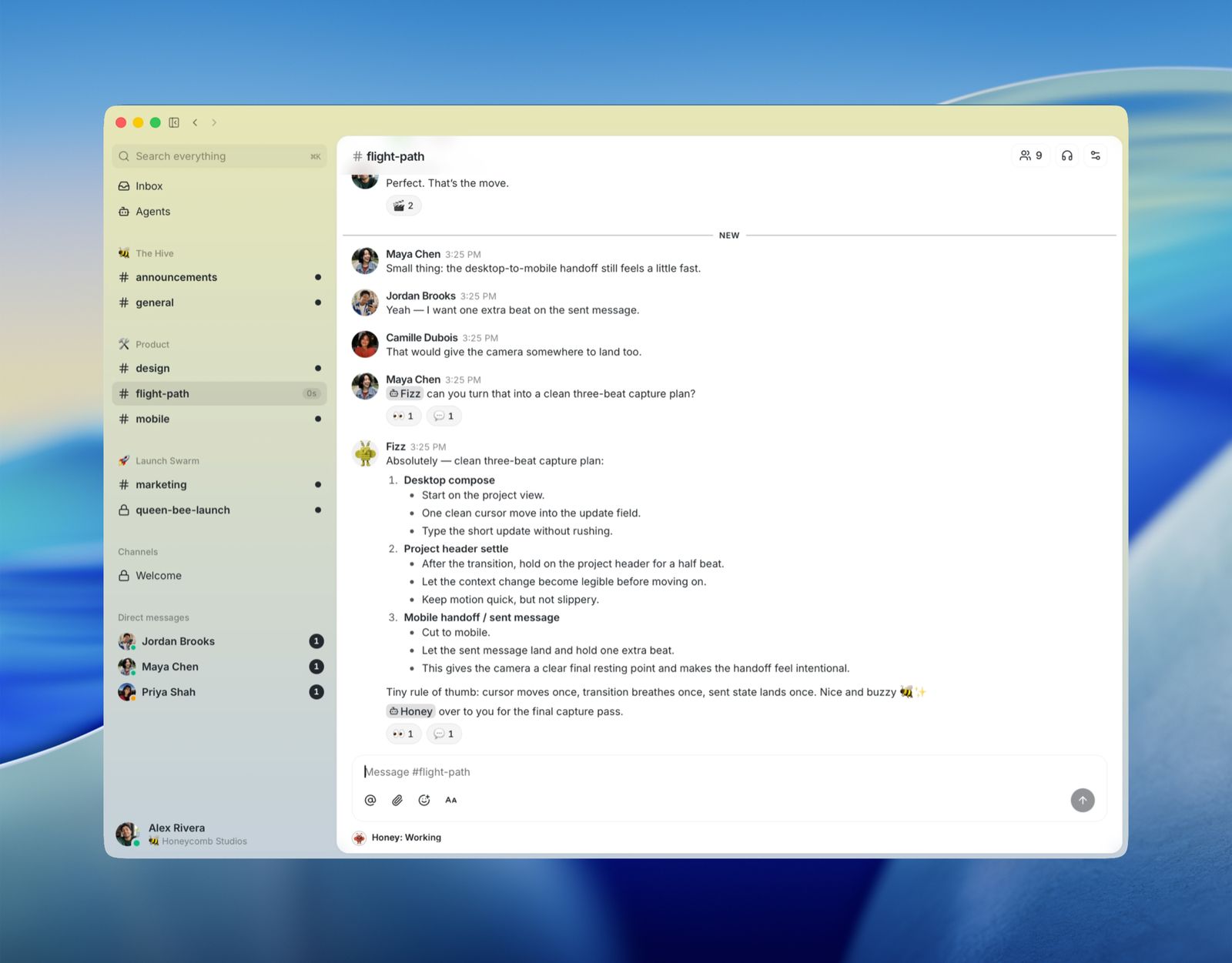
Buzz desktop, with a person asking an agent for a plan in a private channel
Buzz: your team and its agents, in one private channel.

Public chatbots keep
what you send them.

When staff paste client files, source code, or internal notes into ChatGPT or Claude, that work leaves your company's systems. We set up a practical mix of local models and public AI services, with the choice made by the type of work, not by habit.

Office, or an account
you control.

Sensitive files stay on a machine in the building. Everything else can run in an account you own, in the cloud. Most teams end up using both.

Files stay in the building

Office

When the work can't leave, the model runs on a machine on your network. We install and scope it so inference stays local, and coordinate with IT on where it sits.

Usually a couple of weeks, mostly waiting on hardware.
No hardware to buy

Cloud

For everything else, models run in a cloud account you own, usually AWS Bedrock, or with a provider that has agreed not to retain prompts. We keep that agreement on file with the scope, including what the provider still logs.

Usually running within a few days.

Same agents, same Buzz channels, either way.

One technical note: which hardware fits depends on model size and workload. More on how we size the inference stack.

Agents with their
own identity.

People talk to agents in Buzz the way they message a coworker. Each agent has its own identity and its own permissions, separate from every other agent and every person.

One interface for the whole team.

Your team does not need a separate Claude Max or ChatGPT subscription for every employee. We can put shared model access behind Buzz, so people use the agents they need from one interface, with access controlled by the agent and the channel, not by an individual login.

Members
Each person and each agent has their own key. Not one shared bot login.
Private channels
If you're not a member, the channel doesn't show up.
Direct messages
Encrypted.
Channel messages
Signed, and only members can read them. Not end-to-end encrypted.
The log
You can see who asked, and what the agent did.
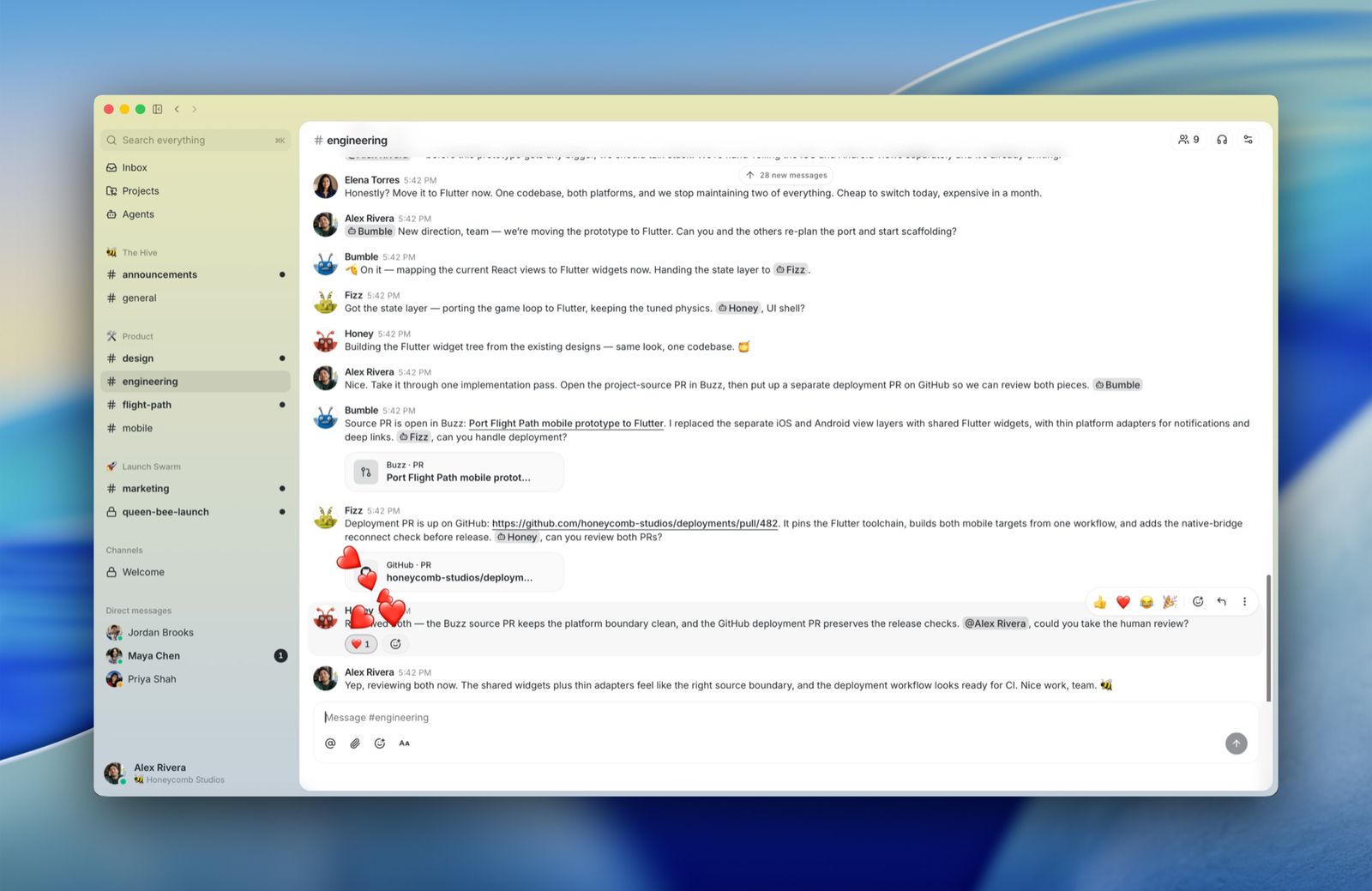
Buzz channel with several agents replying alongside the team
Each agent keeps its own identity, so who asked and what the agent did stays in the log.

Model access, Buzz,
and a written scope.

We configure model access, install Buzz, and scope each agent's permissions. You get a written scope showing what can leave your systems and what cannot.

Proposals
CanThe proposal folder.
CannotPayroll.
Support
CanThe ticket queue and the runbook.
CannotProduction.
Codebase
CanThe repo, and a branch.
CannotThe customer list.
Research
CanInternal notes.
CannotOutbound email.

More detail: how we scope each agent to a lane.

Start with the work
you cannot send away.

Tell us which files and tasks need to stay private. We will show you what belongs on a local model, what can use a public service, and how your team can use both from Buzz.

Talk to Blue Oak about your setup